Tool Tracking Systems Manage Small Tools and Reduce Loss
Small tools have a way of becoming big operational problems. Without a reliable record, missing tools can quickly turn into replacement costs, wasted time and delayed work. A tool tracking system gives you the visibility to know what you have, where it is and who’s responsible for it.
Dec 11, 2020 | Updated: Sep 9, 2026
13 min read
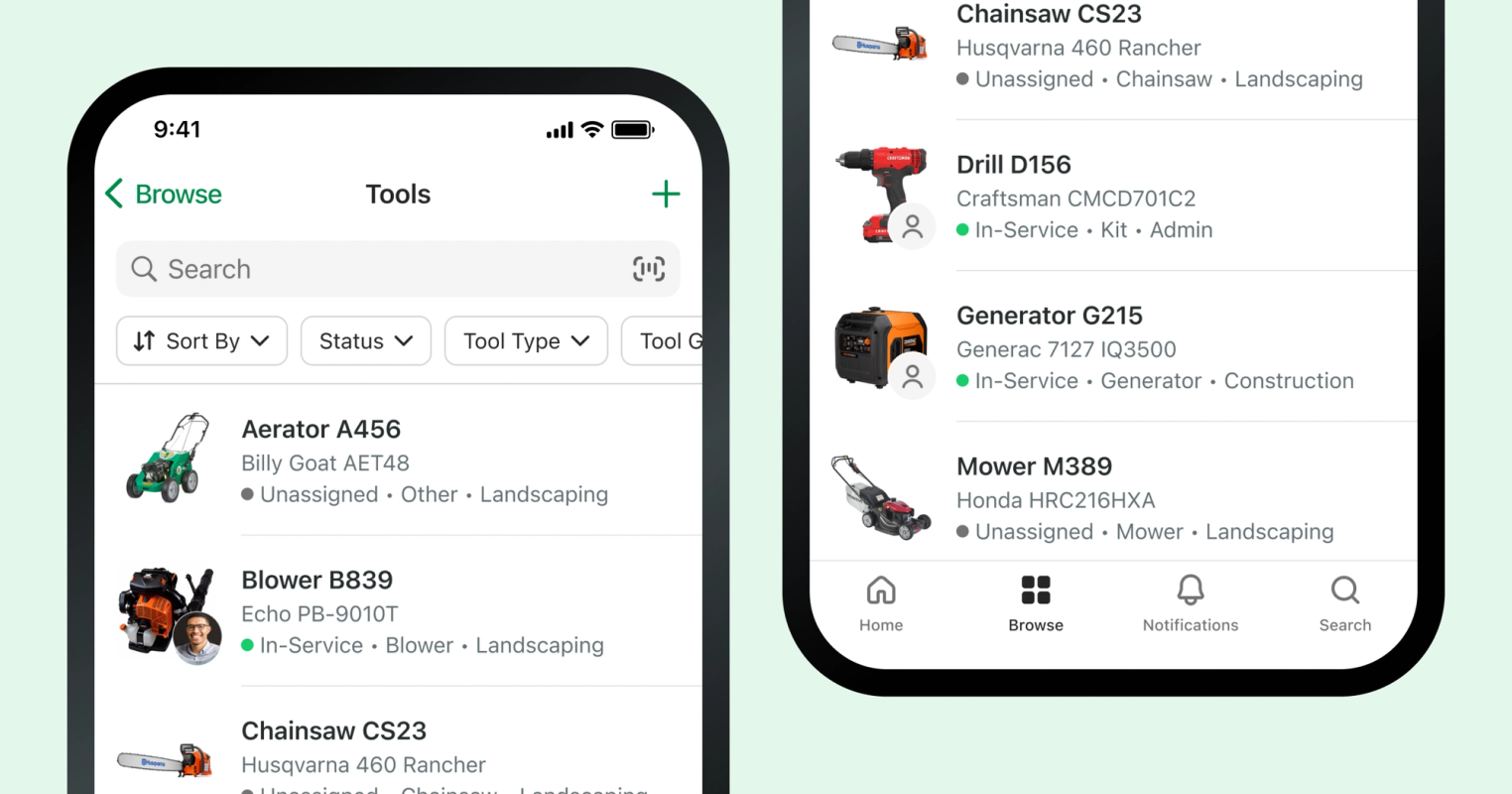
What you need to know
- Tool tracking creates a reliable system of record: Digital tracking shows where each tool is, who has it and its current status, replacing static spreadsheets and paper checkout sheets.
- Simple tagging makes tools easier to manage: Barcodes, QR codes and NFC tags paired with mobile scanning make check-in, checkout and assignments fast enough for crews to use consistently.
- Better visibility reduces loss and downtime: Current assignment and location records help teams identify missing tools sooner, avoid unnecessary replacements and find available equipment before jobs begin.
- Successful rollouts start small: Begin with high-value, frequently lost or commonly shared tools, then expand once crews consistently follow the tracking workflow.
- Connecting tools with fleet assets provides a fuller operational picture: Managing tools alongside vehicles, equipment, locations and assignments gives teams one place to understand what they own, where it is and who's using it.
A tool tracking system gives you a live record of where each tool is, who has it and what condition it's in, which keeps replacement spending down and crews working on schedule.
That record has gotten harder to maintain. Tools move between jobsites daily, crews work across multiple locations, and managers are rarely standing where the work happens. As a company grows, the signals get quieter. A missing impact wrench looks like a bad morning rather than a pattern. Replacement purchases get approved one at a time. Nobody sees the total.
Whiteboards and spreadsheets can't close that gap. They're static, they go stale the moment someone walks off with a tool, and they leave no audit trail when equipment disappears. By the time anyone reconciles the numbers, the details are gone.
This guide explains how tool tracking systems work, where they deliver the most value, what technology options are available, how to roll one out and which mistakes to avoid along the way.
What Is a Tool Tracking System?
A tool tracking system is software that maintains a record for every tool you own and updates it as tools move between people, crews and locations.
An inventory list tells you how many drills you bought. A tracking system tells you who has drill #14, where it was last scanned and whether it's available, in use or out of service. That difference matters when a crew is waiting on a tool at 6 a.m.
Tools in this context means power tools, hand tools and small shared equipment: impact drivers, generators, torque wrenches, pressure washers, ladders, testing gear. That's distinct from heavy equipment tracking, which usually relies on telematics and engine hours, and from warehouse inventory management, which counts consumable stock rather than following named assets through repeated checkouts.
How Tool Tracking Systems Work
Every system runs on the same three mechanics: identify the tool, record who has it and keep the history. Here's what each one looks like in practice.
Tool identification and tagging
Each tool needs a unique identity in the system. A model number isn't enough when you own 40 of the same reciprocating saw.
Most operations use asset tags: barcodes, QR codes or NFC tags applied to the tool and paired with a record in software. Barcodes are cheap and easy to print. QR codes hold more data and scan from awkward angles. NFC tags hold up better against dirt and grease and only need a tap. Each format has tradeoffs in cost and durability, and this breakdown of the three is a useful primer. We also compare equipment tag options here.
Scanning can happen with dedicated barcode readers or with the phone already in your technician's pocket. The phone usually wins, because adoption follows convenience.
Check-in, check-out and assignment workflows
Once tools are tagged, checkout becomes a scan instead of a signature on a clipboard.
Paper checkout sheets fail for predictable reasons. They live in one place, they get filled out inconsistently, and nobody reconciles them until something goes missing. Digital workflows replace all of that with an assignment record created at the moment of handoff.
A technician scans a tag in a mobile app, assigns the tool to themselves, their crew or a location, and the record updates for everyone instantly. Returns work the same way. Check-in takes seconds, which is the only reason crews actually do it.
The payoff is that availability stops being a phone call. A foreman can see which tools are free before dispatching a crew, without waiting for a manager to pick up. NFC tags make this even faster, since there's nothing to line up in a camera frame.
Assignments also create ownership. When a tool is checked out to a named person, care improves without anyone having to say a word about it. And when a tool comes back damaged or doesn't come back at all, the audit trail shows who had it, when and where, so the conversation starts with facts.
Location, status and usage history
Real-time GPS tracking is common on heavy equipment and rare on small tools, because trackers with batteries add cost, bulk and maintenance to items worth a few hundred dollars. Most tool tracking relies on last-known location instead: the site, storeroom or person recorded at the most recent scan or assignment.
In practice that's usually enough. Alongside location, systems track status, typically available, in use, out for repair or missing. Status is what keeps a crew from driving across town for a tool that's already sitting in a repair shop.
History is where the long-term value sits. A complete record of assignments and returns supports loss investigations, insurance and audit requirements, utilization analysis and purchasing decisions. If a specialty tool has been checked out twice in eight months, you probably don't need to buy a third one.
Why Tool Tracking Matters
Tool tracking rarely produces one dramatic saving. It produces a steady reduction in waste, replacements and lost hours that compounds across every crew and every quarter.
Accountability without micromanagement
Accountability breaks down for structural reasons. Tools are shared, responsibility is diffuse, documentation is thin and everyone is relying on memory. When something disappears, the honest answer from most crews is that nobody knows.
A tracking system removes the guesswork. The record shows the last assignment, so there's no round of finger-pointing and no manager making a call based on a hunch. That protects operators as much as managers. Good technicians stop absorbing blame for tools they never touched, and decisions about repair costs or replacements rest on documented history.
Don't be fooled by tools
They’re small, mobile and surprisingly good at disappearing. Keep tabs on who has what and where it is so your crews can spend less time hunting down tools and more time getting work done.
Explore tool tracking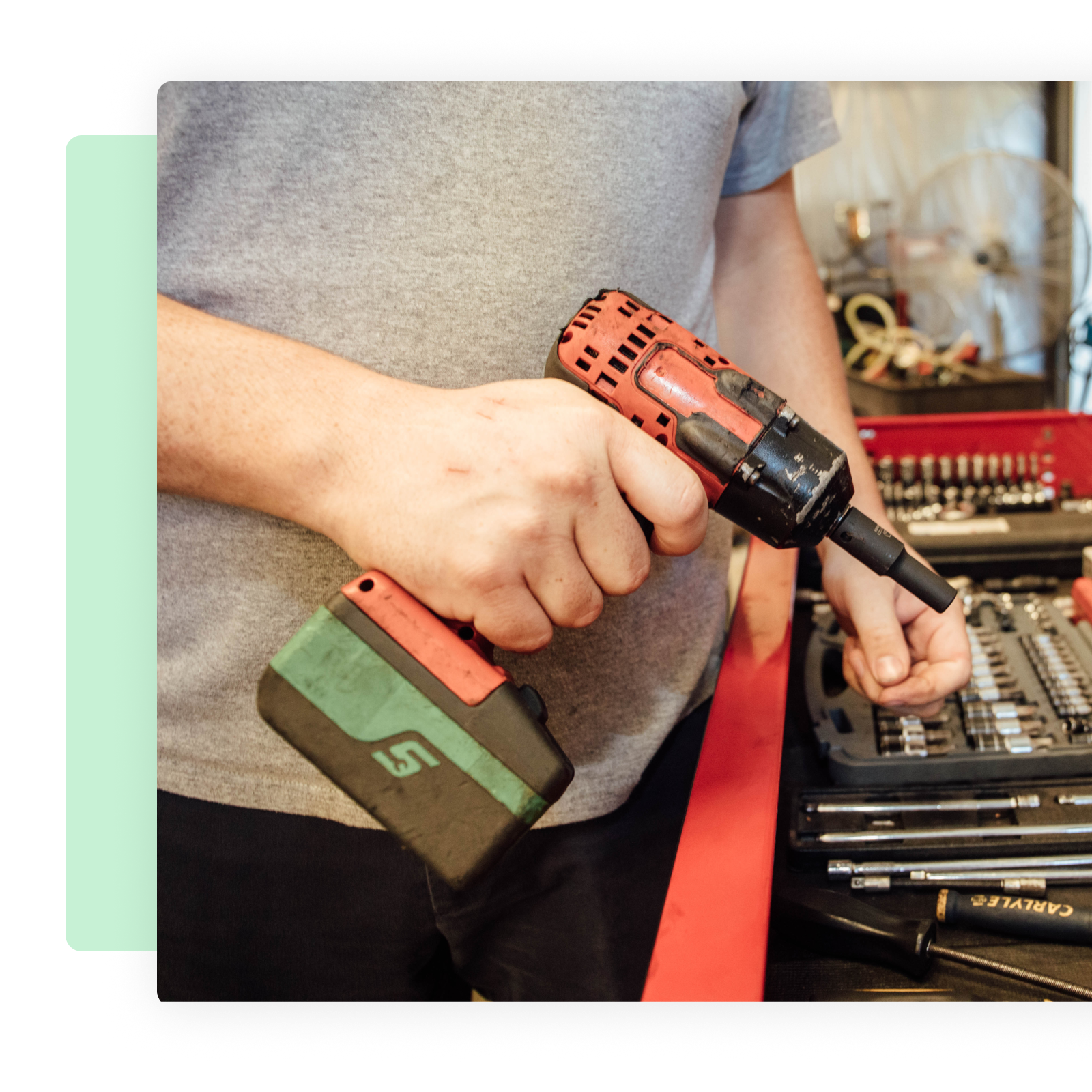
Reduced tool loss and replacement costs
Construction sites alone lose more than 1,000 pieces of equipment every month to theft. Small tools disappear at a far higher rate than heavy machinery, and most of those losses are never reported.
The replacement invoice is only part of the cost. Emergency purchases happen at retail prices, crews lose hours waiting or driving to a supply house, and managers overstock to avoid the problem entirely, which ties up cash in tools that sit unused in a truck.
Visibility catches this early. When counts and assignments stay current, a missing tool surfaces the day it goes missing rather than at the next physical inventory.
Faster job starts and better utilization
Knowing what's available before the day starts prevents the most avoidable kind of delay. Crews load out once, jobs begin on time and nobody buys a second core drill because the first one couldn't be found.
Usage data also shows what you aren't using. Tools with low checkout rates can be reallocated to crews that keep running short, which is cheaper and faster than purchasing.
Common Tool Tracking Use Cases
The mechanics stay the same across operations. The problems they solve look different depending on where your tools live.
Jobsite tool tracking
On multi-site operations, tools move daily between crews and temporary locations with limited supervision at any of them. A tool can pass through three sets of hands before lunch and never get logged.
Tracking makes handoffs explicit. Each transfer is recorded, so the tool has a location even when nobody is watching the gate. Crews spend less time calling around to find equipment and more time working. Our guide to construction tool tracking digs further into this environment.
Warehouses and tool cribs
Centralized storage brings its own failure modes: high checkout volume, multiple departments pulling from the same shelves and quiet hoarding by crews who would rather keep a tool than risk not getting it back.
Digital tracking speeds up the counter and makes hoarding visible. When a tool has been assigned to the same crew for six weeks without being used, the report says so and the tool goes back into circulation.
Shared tools across crews and locations
Shared tools are the ones most likely to be lost or duplicated, because no single person is responsible for them. A specialty torque wrench that six crews use will get replaced twice before anyone realizes the original is in a job trailer.
The challenge here is ownership rather than geography, which is what separates it from jobsite tracking. Assignment records give shared tools a temporary owner every time they change hands. That prevents double-booking and settles the question of who has the tool without a group text.
Bring your tools and equipment into one place
Track tools alongside vehicles, equipment, locations and assignments with Fleetio to give your team a clearer picture of the assets that keep work moving.
See how it works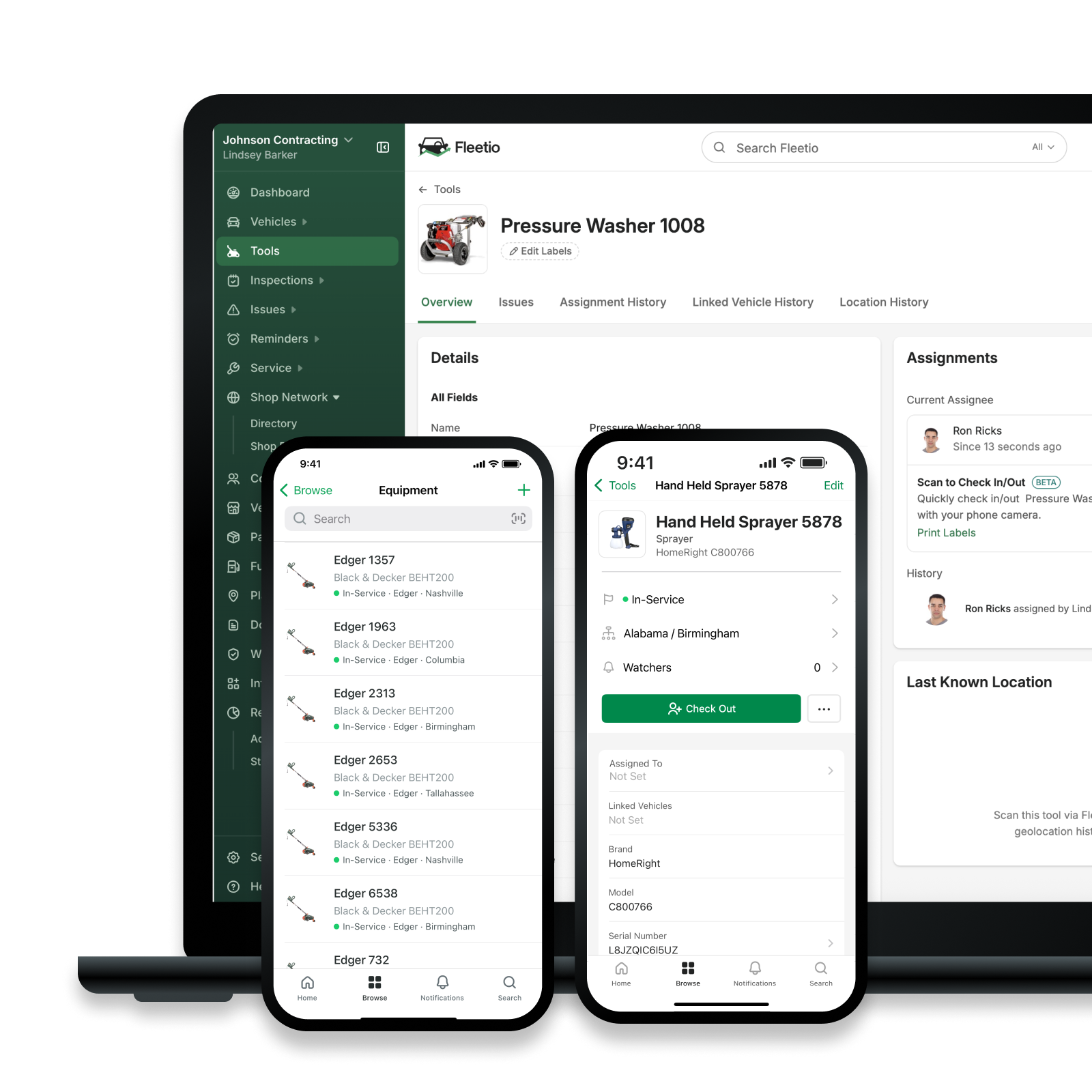
How to Implement a Tool Tracking System
Rollouts fail on adoption, not technology. Workflows vary by operation, but these steps hold up regardless of which system you choose.
Start with the right tools
Begin with tools that go missing often, cost the most to replace or get shared across crews. Those categories produce visible wins within weeks.
Don't tag everything at once. Tagging 4,000 items before anyone has used the system is how projects stall. Prove the workflow on a few hundred, then expand.
Choose workflows that match how teams actually work
The best workflow is the one crews will use on a cold morning with gloves on. A smartphone scan usually beats issuing handheld scanners that need charging, tracking and replacing.
Mobile-first is the practical default. If checking a tool out takes longer than grabbing it off the shelf, people will grab it off the shelf.
Define rules, roles and expectations
Write down who can assign tools, who approves exceptions and what happens when a tool isn't returned. Ambiguity here is what turns a tracking system into a partial record.
Clear rules also keep enforcement fair. When expectations are documented in advance, consequences apply the same way to everyone.
Train teams and reinforce adoption
Train on the benefit, not the button. Crews adopt tracking when it saves them a trip across town and keeps them from being blamed for a tool they returned weeks ago.
One training session won't hold. Review adoption in regular meetings, fix the steps people are skipping and recognize the crews doing it consistently.
Common Tool Tracking Mistakes to Avoid
A few patterns show up again and again in stalled rollouts:
- Overengineering the system. Custom fields, elaborate approval chains and tags on every screwdriver create work without adding visibility.
- Ignoring reports and alerts. Overdue checkout notifications only help if someone acts on them.
- Treating tracking as set it and forget it. Data drifts. Physical counts need to be reconciled against the system on a regular schedule.
- Skipping leadership enforcement. If supervisors bypass the process when they're in a hurry, crews will too, and the record becomes unreliable within a month.
How Tool Tracking Fits Into Fleet and Asset Management
Tools don't operate in isolation. They travel in vehicles, get used on equipment and belong to the same crews and locations you already manage.
When those records live in separate systems, you get partial answers. Connecting tools with vehicles, equipment, locations and assignments produces one operational picture: what you own, where it is, who's using it and what it costs to keep running.
Fleetio serves as that system of record. Tool and equipment management sits alongside vehicle maintenance, inspections and parts inventory, so a tool assigned to a technician and the truck that technician drives are tracked in the same place. For a closer look at building out the process, see our guide to implementing a tool management system.
Make Tool Tracking Part of Your System
A tool tracking system identifies each tool, records who has it and preserves the history of where it's been. That foundation reduces loss, shortens job starts, settles accountability questions with data and gives you a real basis for purchasing decisions.
The operations that get the most out of it start small, choose workflows their crews will actually use and treat the data as something to review rather than something to store.
Take an honest look at how you track tools today. If the answer involves a spreadsheet and a good memory, see how Fleetio handles it or start a free trial.
FAQs
What's the difference between tool tracking and equipment tracking?
Equipment tracking usually covers heavy assets like excavators, trailers and trucks, monitored through telematics, GPS and engine hour data. Tool tracking covers small, portable, frequently shared items where the useful questions are who has it and where it was last seen. The methods differ largely because of cost: a GPS unit is a rounding error on a $90,000 excavator and a significant expense on a $300 impact wrench. Most operations need both, ideally in the same system.
Do tools need GPS to be tracked?
No. The large majority of tool tracking runs on asset tags and scans rather than live GPS. A barcode, QR code or NFC tag paired with a check-out record gives you last-known location and the responsible person, which resolves nearly every real situation. GPS or Bluetooth trackers make sense for a small subset of high-value items, such as a $5,000 pipe laser that lives on open sites.
Is tool tracking worth it for small teams?
Often yes, because small teams feel each loss more acutely. A five-person crew replacing two mid-range tools a quarter is spending real money, and losing a day to a missing tool costs more than the tool did. Small operations can also implement tracking quickly, since there are fewer items to tag and fewer people to train.
How many tools should I start tracking?
Start with your highest-loss and highest-value categories, which for most operations means somewhere between 50 and 300 items. Tag those, run the workflow for a month and confirm crews are checking tools in and out reliably. Then expand by category rather than trying to tag the entire inventory in one push.
How often should tool data be reviewed?
Review exceptions weekly: overdue checkouts, tools flagged missing and anything sitting out of service. Run a broader utilization and value review monthly or quarterly, ahead of purchasing decisions. Reconcile physical counts against the system at least twice a year, and more often for tool cribs with high checkout volume.

Content Marketing Specialist
Laura Flowers is the Content Marketing Specialist at Fleetio. When she’s not blogging, you can find her reading on the couch with her cat or in the studio tap dancing.
LinkedIn
Senior Copywriter
Tyler Freeland is a Senior Copywriter at Fleetio. A former creative writer for Freightliner and Western Star, he now transforms complex (and sometimes common) fleet topics into practical, engaging insights that fleet leaders can apply every day.
LinkedIn|View articles by Tyler FreelandReady to get started?
Join thousands of satisfied customers using Fleetio
Questions? Call us at 1-800-975-5304