How to Choose the Right Government Fleet Management System in 2026
Choosing a government fleet management system is not a simple software purchase. It affects maintenance, inspections, compliance, budgeting, security, procurement and how your team proves that public assets are being used responsibly.
Aug 10, 2022 | Updated: May 21, 2026
11 min read

Key takeaways from this guide
-
A government fleet management system should reduce manual work, improve maintenance planning, support compliance and give leadership clear reporting.
-
The right system should connect maintenance, inspections, telematics, fuel, cost tracking and asset lifecycle data.
-
Public-sector buyers should evaluate security, permissions, audit trails, procurement options and implementation support before choosing a platform.
-
Fleetio is listed as a GSA-approved fleet maintenance software provider for government fleets and appears in GSA eLibrary under Rarestep, Inc., Fleetio’s legal company name.
The stakes are higher in 2026. Fleetio’s 2026 Fleet Benchmark Report shows that 54.4% of fleet managers cite rising costs as their top concern, followed by regulations and emissions mandates at 46.1%. The same report found that 30.8% of fleets still rely on spreadsheets for tracking. Those gaps make it harder to control costs, justify replacements and keep assets available.
What is a government fleet management system?
A government fleet management system is software that helps public-sector agencies manage vehicles, equipment, drivers, maintenance, inspections, costs, compliance records and asset replacement planning.
Government fleets may include police vehicles, fire apparatus, public works trucks, utility vehicles, heavy equipment, trailers, parks and recreation assets and other specialized equipment. These assets often serve multiple departments and are funded through capital budgets, operating budgets, grants or other public funding sources.
A fleet management system gives agencies a central record of what they own, how assets are used, when service is due, what repairs cost and which vehicles are ready for duty.
For government teams, that visibility matters. Common needs for fleets in the public sector include: compliance with federal, state and local requirements, longer asset lifecycles, cost control, multi-department support and audit-ready records.
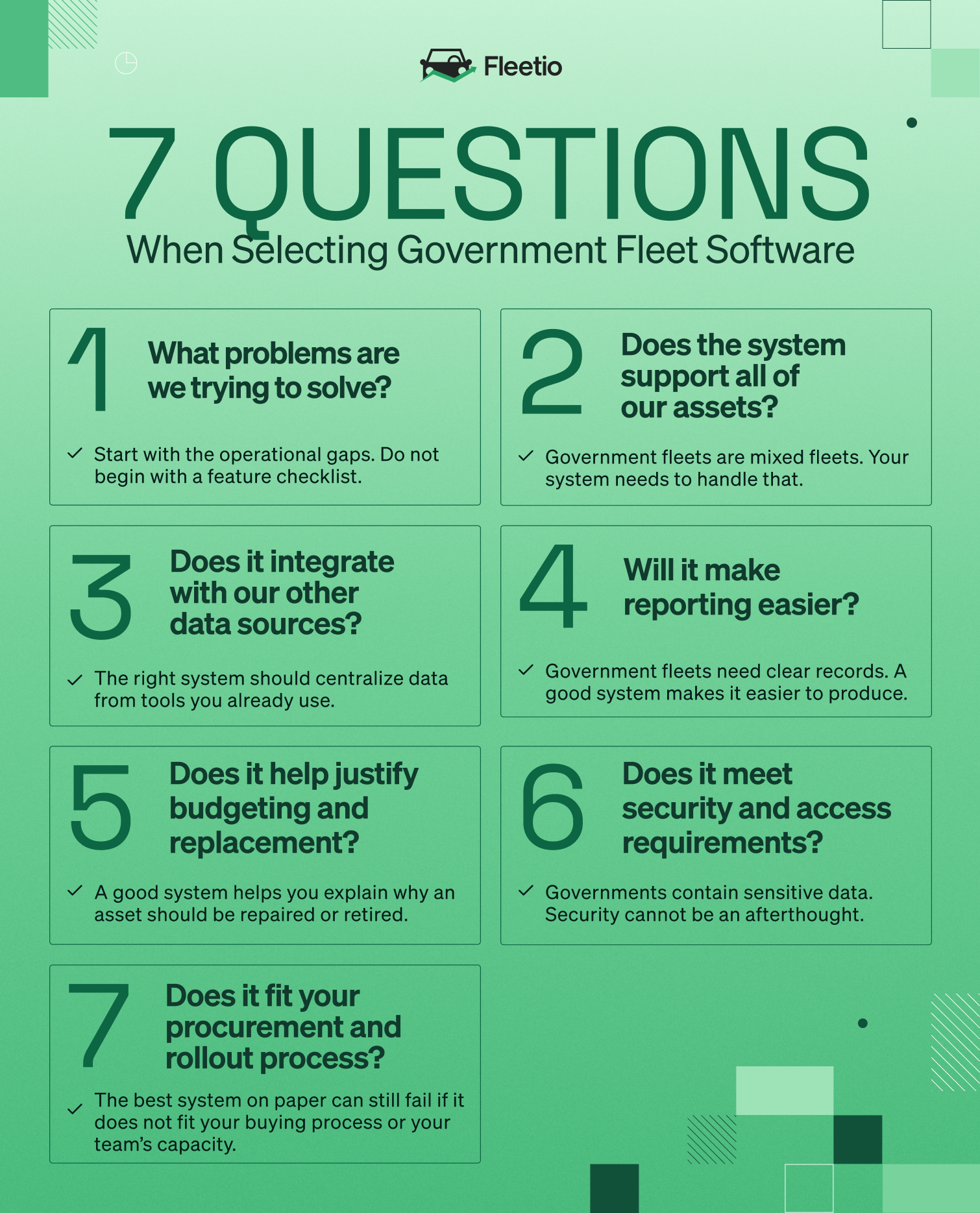
7 questions to ask when evaluating government fleet software
A good government fleet management system should give your agency one place to manage vehicles, equipment, maintenance, inspections, costs, usage, service history and reporting. It should also fit how public-sector teams actually buy and implement technology.
Use these seven questions before you start scheduling demos.
1. What problems are you trying to fix first?
Start with the operational gaps. Do not begin with a feature checklist.
Before evaluating a government fleet management system, document where your current process slows down. Look at the tasks your team handles every week:
- Preventive maintenance scheduling
- Vehicle inspections
- Work order creation
- Service approvals
- Fuel tracking
- Odometer and meter updates
- Asset assignments
- Parts tracking
- Downtime tracking
- Vendor communication
- Budget reporting
- Replacement planning
Most agencies already know where the friction is. The issue is proving it with data.
Fleetio’s 2026 Benchmark Report shows how costly maintenance gaps can become. Only 6.7% of fleets describe their maintenance environment as fully scheduled, while 48% operate in a mix of scheduled and unscheduled work. Platform data in the report shows 53.7% scheduled maintenance, 40.1% unscheduled maintenance and 6.2% emergency maintenance.
That is the first test for any system: can it help your team move more work from reactive to planned?
What to ask vendors
- Which workflows can we automate first?
- Can we track PM compliance by asset, department or location?
- Can failed inspections trigger issues or work orders?
- Can technicians, drivers and managers work from the same system?
- Can we see where maintenance work gets delayed?
2. Does the system support preventive maintenance and inspections for every asset type?
Government fleets are mixed fleets. A city may manage police vehicles, dump trucks, trailers, loaders, mowers and utility assets in the same operation. A county may manage assets across public works, parks, emergency services and facilities.
A government fleet management system needs to handle that variety.
Preventive maintenance schedules should be configurable by asset type. Some assets need service by mileage. Others need service by engine hours, calendar intervals or usage patterns. A basic reminder system is not enough if it cannot reflect how your assets are maintained.
Inspections need the same flexibility. A generic vehicle inspection form will not work for every asset. Digital inspection forms should be customizable so drivers and operators can check the right items for the asset they are using.
Fleetio’s inspection tools support custom inspection forms, mobile inspection completion, photos, comments, failed item alerts and workflows that can convert failed inspection items into work orders.
What to ask vendors
- Can PM schedules be based on mileage, engine hours and time?
- Can inspection forms be customized by asset type?
- Can inspections be completed on mobile devices?
- Can users attach photos and comments to failed inspection items?
- Can failed inspection items create issues or work orders?
- Can inspection history be used for audits?
Pro Tip
Avoiding fraud is vital for government agencies. Fuel card tracking also lets you protect your organization against fuel theft. Explore Fuel Card Integrations
3. Can the system connect with your telematics, fuel and finance data?
A fleet management system should not create another data silo.
Many government fleets already use GPS, telematics, fuel cards, maintenance vendors, accounting systems or ERP tools. If those systems do not connect, your team still has to move data manually. That creates errors and delays.
The right system should help centralize data from the tools your agency already uses. Telematics can provide mileage, engine hours, location and diagnostic trouble code data. Fuel integrations can help track spend and usage. Maintenance and accounting integrations can reduce duplicate entry and make reporting easier.
Fleetio connects with telematics integrations and fuel card systems to reduce manual entry and improve reporting accuracy, tracking usage, fuel and diagnostics as data points in one platform.
This is especially important for maintenance. If odometer readings sync automatically, PM schedules stay current without waiting for manual updates. If diagnostic alerts are logged, teams can act before a breakdown removes an asset from service.
What to ask vendors
- Which telematics providers do you integrate with?
- Which fuel card systems do you support?
- Can odometer and engine hour data update automatically?
- Can diagnostic trouble codes flow into maintenance workflows?
- Can data be exported for finance, procurement or leadership?
- Is there an API for custom integrations?
4. Will it make compliance and audit reporting easier?
Government fleets need clear records. Leadership, finance, auditors and elected officials may all need proof that assets are maintained, inspected and funded appropriately.
A good system should make that documentation easier to produce.
That includes service history, inspection history, work orders, issue resolution, cost records, asset assignments, fuel data and replacement recommendations. It should be easy to show when service was completed, who completed it, what it cost and what asset it applied to.
Audit-ready records and reporting are key needs for public-sector fleets, Fleetio supports customizable DVIR and inspection workflows, preventive maintenance schedules, real-time reporting, cost tracking by vehicle or department and reports for council or procurement teams.
Reporting should also support day-to-day operations. If leadership only sees fleet data once a year during budget planning, the system is not doing enough. Fleet managers should be able to track the metrics that matter throughout the year.
Reports to look for
- PM compliance
- Inspection completion
- Failed inspection items
- Open issues
- Overdue work orders
- Downtime
- Cost by asset
- Cost by department
- Fuel spend
- Asset utilization
- Replacement candidates
- Total cost of ownership
5. Does it help you defend budget and replacement decisions?
Government fleet managers often know which assets need attention before the budget process catches up. The challenge is proving it.
A fleet management system should help you explain why an asset should be repaired, reassigned, replaced or retired. That requires more than age and mileage. It requires service history, repair costs, downtime, utilization and total cost of ownership.
The benchmark data shows why this matters. Vehicles 10 years and older account for about 12% of miles but about 34% of service spend. The report also shows cost per mile rising sharply with age.
That does not mean every older vehicle should be replaced. Some older assets can still make financial sense if they are reliable, well maintained and used appropriately. The point is to decide with data instead of guesswork.
A strong system should help your team answer:
- Which assets cost the most to maintain?
- Which assets are underused?
- Which assets are overused?
- Which vehicles have recurring issues?
- Which assets create the most downtime?
- Which replacement requests have the strongest financial case?
Fleetio helps agencies monitor TCO and performance, forecast budgets and replacement schedules, and generate reports for council or procurement teams.
6. Does the system meet your security and access requirements?
Government fleet software contains sensitive operational data. That may include asset locations, driver assignments, fuel activity, service records, vendor information and internal notes.
Security cannot be an afterthought.
Ask every vendor for current security documentation. Review access controls, authentication options, data storage practices, audit logs, user permissions and incident response processes. Confirm who can view, edit, approve and export data.
Fleetio maintains a SOC 2 report through an independent auditor, supports SAML 2.0 single sign-on, uses two-factor authentication company-wide, allows admins to customize user and contact permissions, performs daily automated database backups, and uses AWS storage with AES-256 encryption for stored customer data.
For government fleets, user permissions are especially important. A technician may need access to work orders. A department head may need cost reports. A driver may only need inspections and assignments. A finance user may need exportable spend data. Not every user should have the same access.
What to ask vendors
- Do you maintain a SOC 2 report?
- Do you support SSO?
- Do you support two-factor authentication?
- Can admins control permissions by role?
- Can we limit access by department, location or user type?
- How is customer data stored and backed up?
- How often do you perform security reviews or penetration tests?
- Where can our IT team review your trust or security documentation?
7. Does it fit your procurement, rollout and adoption process?
The best system on paper can still fail if it does not fit your buying process or your team’s capacity.
Government fleets need to consider procurement early. That includes contract vehicles, legal review, IT review, budget timing, implementation support and user training. If the system requires too much manual setup or does not account for public-sector purchasing requirements, adoption may stall.
Pro Tip
To find Fleetio in GSA, search for Rarestep, Inc. under contract number 47QTCA20D0044.
Implementation matters too. Drivers need mobile tools that are easy to use. Technicians need work order workflows that match how the shop operates. Managers need dashboards and reports that do not require extra spreadsheet work.
A system should reduce administrative work, not shift it from one team to another.
What to ask vendors
- Are you available through GSA or another approved purchasing path?
- What does implementation require from our team?
- Can we import existing asset, service and user data?
- How are drivers and technicians trained?
- What support is available after launch?
- Can we roll out by department or site?
- How quickly can we start with PM schedules, inspections and reporting?
Government fleet management system evaluation checklist
Use this checklist during vendor demos, internal reviews or RFP planning.
| Evaluation area | What to confirm |
|---|---|
| Asset management | Tracks vehicles, equipment, trailers and specialized assets |
| Preventive maintenance | Automates PM schedules by mileage, hours or time |
| Inspections | Supports mobile inspections, custom forms, photos and failed item alerts |
| Work orders | Connects issues, inspections and maintenance tasks |
| Integrations | Connects telematics, fuel, maintenance, ERP or finance data |
| Reporting | Provides PM, downtime, cost, utilization and TCO reports |
| Compliance | Stores inspection, service and audit-ready records |
| Security | Supports SSO, permissions, 2FA and security documentation |
| Procurement | Fits public-sector purchasing and contract requirements |
| Adoption | Works for drivers, technicians, managers and leadership |
Red flags to watch for
Avoid systems that only solve one narrow problem unless that is all your agency needs.
Common warning signs include:
- No mobile inspection workflow
- No customizable inspection forms
- No automated PM reminders
- No telematics or fuel integrations
- No asset-level cost tracking
- No department-level reporting
- Limited user permissions
- Weak security documentation
- Manual report building
- No clear public-sector procurement path
- No implementation plan for drivers or technicians
A government fleet management system should make the operation easier to run and easier to explain.
Getting started
Start with the work your team needs to improve first.
For many government fleets, that means centralizing asset records, automating preventive maintenance, moving inspections from paper to mobile, connecting telematics and fuel data, and building reports leadership can use.
The right government fleet management system should help your agency maintain assets, control costs, support compliance and defend decisions with clear data.
Fleetio helps public-sector fleets manage maintenance, inspections, costs, utilization, reporting and replacement planning in one platform. Fleetio is GSA-approved and built to support the accountability government fleets require.
Ready to evaluate Fleetio for your government fleet?
Fleetio helps public-sector teams centralize fleet data, automate maintenance workflows, improve inspection tracking and create audit-ready reports.
FAQ

Senior Fleet Content Specialist
As a Senior Fleet Content Specialist at Fleetio, Peyton explores the voices and experiences that shape fleet operations. She focuses on how fleet professionals adopt technology, improve efficiency and lead their teams to bring clarity and context to the challenges happening across the industry.
View articles by Peyton PanikReady to get started?
Join thousands of satisfied customers using Fleetio
Questions? Call us at 1-800-975-5304