DTC Codes Explained: A Fleet Manager's Complete Guide
When a check engine light comes on in one of your assets, you're not seeing a problem. You're seeing your on-board computer's summary of a problem. The code behind the light tells you what system flagged the fault and approximately where, and reading it correctly determines whether the repair takes 20 minutes or three shop visits.
Sep 2, 2026
12 min read

What you need to know
- Capture DTC data before clearing it: Clearing a DTC without logging it loses the freeze frame data a technician needs to diagnose the root cause and the pattern history that would reveal whether the same fault has appeared before.
- Code state determines your next move: A pending fault that goes unrecorded often becomes an active failure during operation, while a permanent DTC cannot be cleared by any scan tool until the underlying repair is completed and the system's own monitors confirm it.
- Treat codes as system signals, not parts recommendations: Most DTC misdiagnosis originates from treating a code as a parts recommendation rather than a system signal. Root-cause validation against freeze frame data is where actual diagnosis begins.
- Connect alerts directly to maintenance workflows: The operational advantage only follows when those alerts automatically generate work orders with the code, code state and service history already attached.
Diagnostic Trouble Codes are defined by SAE J2012 to identify malfunctions detected by an asset's on-board computer. When sensors monitoring engine performance, emissions systems, transmission behavior or other critical parameters detect a reading outside expected thresholds, the on-board computer logs a DTC and, depending on severity, illuminates the malfunction indicator light (MIL).
Fleet managers encounter two main protocol families. Light-duty assets like passenger vehicles, light trucks and vans communicate through On-Board Diagnostics II (OBD-II), a standardized interface accessed through a universal port below the steering column.
Heavy-duty equipment operates on a separate protocol. Under SAE J1939/73, networked control modules broadcast active diagnostic trouble codes across the asset's data bus. A single fault may appear in multiple modules simultaneously and requires different scan tooling to read correctly.
A DTC tells you that something crossed a threshold and approximately where in the asset that happened. Understanding the code's structure determines how much useful information you extract from it.
What each character in a DTC tells you about the fault
Take P0301. Before anyone touches a scan tool, those five characters tell a technician it's a generic powertrain code affecting the ignition system on cylinder 1. Every DTC follows the same SAE-defined structure and reading it in sequence narrows the search.
P  0  3  0  1
│  │  │  └──── Fault index: cylinder 1
│  │  └──────── Subsystem: ignition system / misfire
│  └──────────── 0 = generic (SAE J2012)
└────────────────── System: P = Powertrain
- First character identifies the system: P = powertrain, B = body, C = chassis, U = network or communication faults.
- Second character indicates whether the code is generic or manufacturer-specific. For P0 and P1 codes, 0 means generic (SAE-defined) and 1 means manufacturer-specific. SAE J2012 also designates P2xxx codes as generic and P3xxx codes as a mixed category, which is why a code like P2109 is generic despite the "2" in this position.
- Third character narrows the subsystem: fuel and air metering, ignition, auxiliary emissions controls and so on.
- Final two characters identify the specific fault condition within that subsystem.
Most DTC guides stop here and most misdiagnosis starts here. A generic code designation means the code format follows a universal standard, but it does not mean the repair is universal.
Pro Tip
Making logging the default outcome of every DTC encounter turns fault data into a compounding maintenance record, one that reduces costs over time as the dataset grows.
What active, stored, pending and permanent code states mean for your next move
Once you've read the code, the next question is what state it's in. A pending P0171 on a delivery van Tuesday morning and an active P0171 on the same van Wednesday afternoon carry very different urgency, even though the code is identical. Each of the four states calls for a different response and treating them identically leads to either overreaction or dangerous neglect.
- Pending: The fault appeared on one drive cycle but hasn't recurred on the next consecutive cycle, so the on-board computer hasn't confirmed it and the MIL stays off. Log the code, schedule a diagnostic check and watch for escalation. A pending code that goes unrecorded often becomes an active fault mid-route because nobody knew the early warning existed.
- Active (confirmed): The fault persisted across the required drive cycles and the computer confirmed it, turning the MIL on. Pull the asset for diagnosis before operating conditions worsen. An active code on a gasoline engine with a flashing MIL, which indicates active misfire, means parking the asset immediately to protect the catalytic converter.
- Stored (history DTC): The fault was previously active but hasn't recurred in subsequent drive cycles and the MIL may have turned off on its own. A stored code is easy to dismiss, but an asset that throws the same stored code across multiple inspection events has a pattern worth investigating before it escalates again.
- Permanent (PDTC): EPA-mandated on MY2010+ vehicles, a permanent DTC cannot be reset by disconnecting the asset's battery or cleared with a scan tool. The code stays until the system's own monitors confirm, through a completed drive cycle, that the fault no longer exists.
The diagnostic context you lose when someone clears a code too early
When a DTC sets, the on-board computer captures a snapshot of the operating conditions at that exact moment. This freeze frame data, defined under SAE J1979 Mode $02, records parameters including engine RPM, coolant temperature, vehicle speed, fuel system status and load at the time the fault was confirmed. For a technician diagnosing an intermittent fault, freeze frame data can cut diagnostic time by reducing the need to recreate conditions that may not recur on demand.
When someone clears a DTC with a scan tool before capturing that data, the freeze frame goes with it. The next technician sees the asset cold, without the operating context that would have pointed directly to the fault condition. The diagnostic cost extends well past the missing log entry because the evidence that would have guided the next repair is gone too.
Readiness monitors extend this problem from the diagnostic bench to the inspection lane. After a repair, the on-board computer needs to run its diagnostic monitors through a complete drive cycle before it can confirm the fix worked. A "monitors not ready" status means the system hasn't verified the repair yet and returning an asset to service before monitors complete that cycle leaves the underlying fault status unconfirmed.
California's Bureau of Automotive Repair (BAR) regulation took effect October 1, 2025 and requires all readiness monitors to be set for a vehicle to pass a Smog Check inspection. BAR is holding the current pass/fail criteria while it collects data, then phasing in stricter thresholds only where the data show unset monitors can reasonably complete.
For California-registered fleet vehicles subject to Smog Check (gasoline MY1996+, diesel MY1998+), clearing codes and returning assets to service without completing a drive cycle risks failing inspection, regardless of whether the underlying repair was performed correctly.
How to monitor DTCs across your fleet without drowning in alerts
Managing DTCs on a single asset with a scan tool is straightforward. Managing them across 50 or 200 assets running different protocols, covering different territories and returning fault data at different times is a fundamentally different operational problem.
Review every repair the moment it hits
See how Fleetio AI Service Advisor helps maintenance teams review repair recommendations faster, flag unnecessary services and make more informed approval decisions before work begins.
Learn more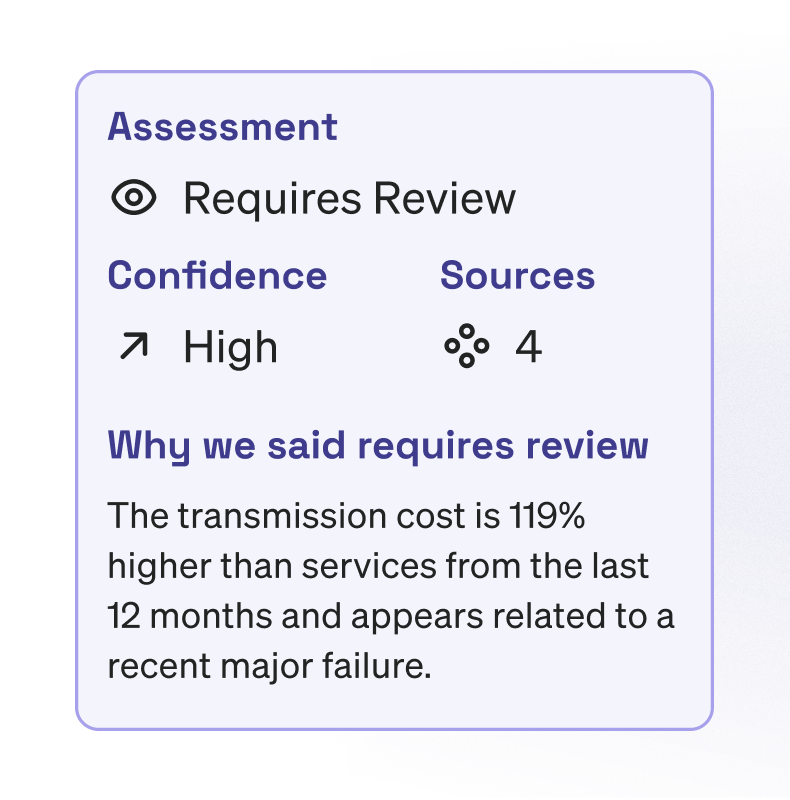
Telematics integrations solve the capture side by feeding DTC alerts from assets in the field directly into a central platform. JW Danforth automated DTC notifications through their Geotab integration, so codes surface in Fleetio rather than waiting for a technician to physically scan each asset. The cleared-and-forgotten code becomes structurally harder to pull off when the platform has already logged the fault independently.
Capture alone creates a different problem. A fleet of mixed assets running active telematics can generate hundreds of fault alerts in a week and they don't all carry the same urgency. You need to configure which fault types trigger notifications, so a minor EVAP system code on a light-duty van doesn't demand the same response as an active transmission fault on a heavy-duty unit pulling a loaded trailer.
| Fleet monitoring challenge | How the workflow addresses it |
|---|---|
| Codes surface one asset at a time, invisible at fleet scale | Native integrations with telematics partners like Geotab and Samsara feed DTCs into a single view in Fleetio alongside pending work orders and service history |
| High-volume alerts create fatigue and missed priorities | Alert filtering lets managers configure which fault types reach their inbox |
| The same code appearing across multiple assets goes unnoticed | The Faults Summary report surfaces DTC trends across vehicle groups to identify systemic patterns |
| Technicians lack context when a work order arrives | DTC alerts automatically generate issues with fault details, so technicians see the code, the asset and its service history together |
| Upcoming preventive maintenance gets scheduled separately from fault-triggered repairs | AI Service Advisor automatically prioritizes issues by operational risk and flags exceptions when a fault triggers a work order, reducing review time and helping teams move routine repairs forward faster |
Your technician opens that work order with context the scan-tool-and-clipboard workflow never provided.
From DTC alert to repair decision with a triage workflow that holds up at scale
With alerts flowing into a central platform, the question becomes what to do when one lands. You see "P0420: catalyst efficiency below threshold" come in at 7:14 am. Replacing the catalytic converter is the obvious move and often the wrong one because the root cause could be an upstream O2 sensor or an exhaust leak throwing the reading off. Skipping steps in the triage sequence is where repeated repairs and misdiagnosis originate.
The five-step sequence below holds regardless of fleet size.
- Assess drivability. A flashing MIL on a gasoline engine signals active misfire with potential catalytic converter damage, which means parking the asset immediately. A steady MIL allows a scheduled diagnostic appointment. MIL behavior serves as the first triage filter.
- Capture before clearing. Record the code, the code state and the freeze frame data before any scan tool clearing happens. Drivers can report warning lights from the field through Fleetio Go with photos and comments that feed directly into the maintenance workflow, giving the shop team context before the asset arrives.
- Validate root cause. As with the P0171 example above, multiple failure points can produce the same code. The technician's job is to test each plausible cause against the freeze frame data and confirm the actual failure before ordering parts.
- Assign and document. Create a work order with the code, code state, freeze frame data, root-cause findings and the repair performed. When telematics is in place, much of this populates automatically.
- Verify. Confirm readiness monitors complete their drive cycle before returning the asset to service.
Boyle Transportation uses the Samsara integration in Fleetio to consolidate DTC alerts and vehicle data in a single dashboard, keeping their reliability-critical fleet ahead of breakdowns. A consistent workflow removes the guesswork from your triage decision regardless of which technician is on shift or which driver called it in.
The documentation habit that turns fault data into a maintenance asset
Handling individual alerts is one half of the problem. The other half is building a record that makes every future alert easier to act on.
The Town of Apex replaced a difficult-to-use legacy fleet management system with the Fleetio + Geotab integration and projected a 17% decrease in total operating costs year-over-year while consistently meeting an 80% preventive maintenance compliance target. The projection came from data-driven procurement decisions and the shift from reactive to proactive maintenance, both of which depend on codes being logged in the first place, including the ones a technician decides are minor.
Logging every code creates a maintenance record that compounds in value over time. A cleared P0440 (EVAP system) on a Tuesday means little in isolation, but the same code appearing on four assets from the same model year by Friday becomes a procurement or specification signal. Catching that pattern requires that Tuesday's entry existed in the first place. Fleet optimization software maintains a record of all DTCs to help you spot maintenance trends across your fleet, but the trends only surface if the codes were recorded to begin with.
Tracking DTC history per asset changes how repeated codes get interpreted. An asset that triggers the same fault three times in six months does not have three separate problems. It has one unresolved root cause that each repair addressed at the symptom level and the pattern only becomes visible when the history is complete.
The Faults Summary report extends this view to the fleet level, surfacing trends across vehicle groups. If a batch of assets all generate the same transmission code within a similar mileage window, the issue may trace back to a specification decision during procurement. Catching that distinction requires fleet-wide trend data alongside per-asset history.
Bundling DTC-triggered repairs with upcoming preventive maintenance reduces total downtime without adding shop visits. When a fault alert surfaces on an asset that also has an oil change due within the next 500 miles, handling both in one appointment saves a separate pull-down later.
AI Service Advisor reduces the coordination overhead that can delay getting an asset back into service, particularly when alert volume spikes and routine decisions stack up. Verifying readiness monitors before returning any asset to service closes the loop, particularly for California-registered fleet vehicles where unset monitors mean a failed Smog Check regardless of the repair quality.
Turn every code into a record your fleet can use
Building that record is easier when the workflow does most of the work for you. In Fleetio, the capture-to-verification workflow runs automatically. A telematics fault alert generates an issue with full diagnostic context already attached, so the technician opens a work order ready to act instead of starting cold. AI Service Advisor flags priorities when alert volume spikes, keeping urgent faults from getting buried.
Stop putting out fires. Start preventing them.
Take a few minutes to meet with a member of our team and learn how one centralized platform can reduce downtime, cut costs and give you full control of your fleet.
Request a demo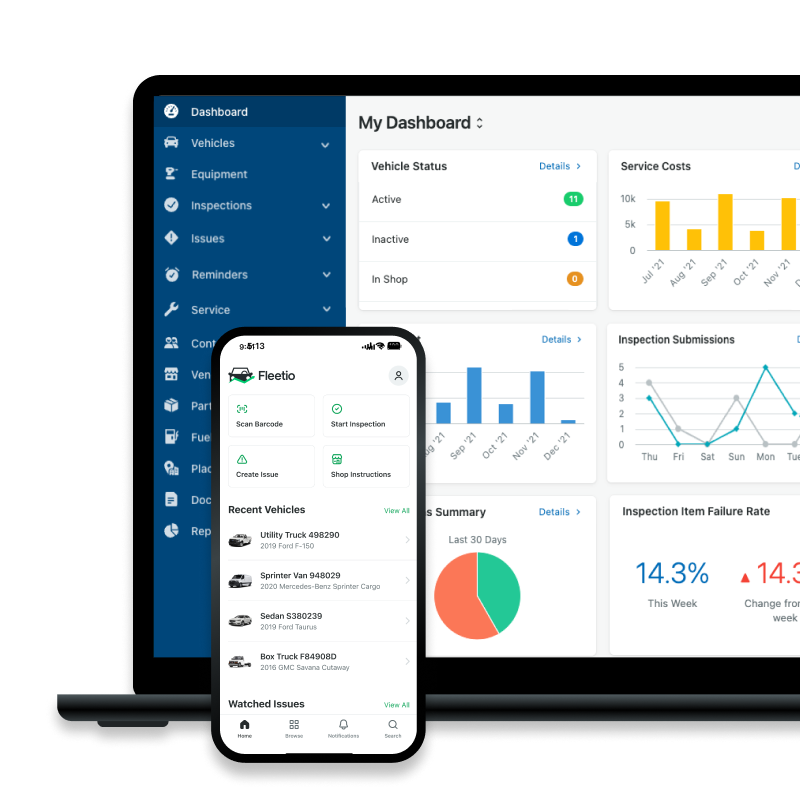

Senior Copywriter
Tyler Freeland is a Senior Copywriter at Fleetio. A former creative writer for Freightliner and Western Star, he now transforms complex (and sometimes common) fleet topics into practical, engaging insights that fleet leaders can apply every day.
LinkedIn|View articles by Tyler FreelandReady to get started?
Join thousands of satisfied customers using Fleetio
Questions? Call us at 1-800-975-5304